


Detecting AI Generated Content
Introduction
The AI Detection feature analyzes video frames to estimate whether the video is AI-generated, returning a verdict and confidence score.

1Start a Task with the "ai_detection" Output
AI Detection outputs can be created by adding an 'ai_detection' output format to your transcoding job. In order to do this, use the /v1/start_encode2 method to launch a transcoding job with the output parameter set to ai_detection.
Request Example
{
  "query": {
    "source": "https://nyc3.s3.qencode.com/qencode/bbb_30s.mp4",
    "format": [
      {
        "output": "ai_detection",
        "save_frames": 1
      }
    ]
  }
}
save_frames - If set to 1 - saves analyzed frames to destination folder. If set to 1 destination would be treated AS FOLDER. In status url and download_url will be returned as usual, pointing to result JSON.
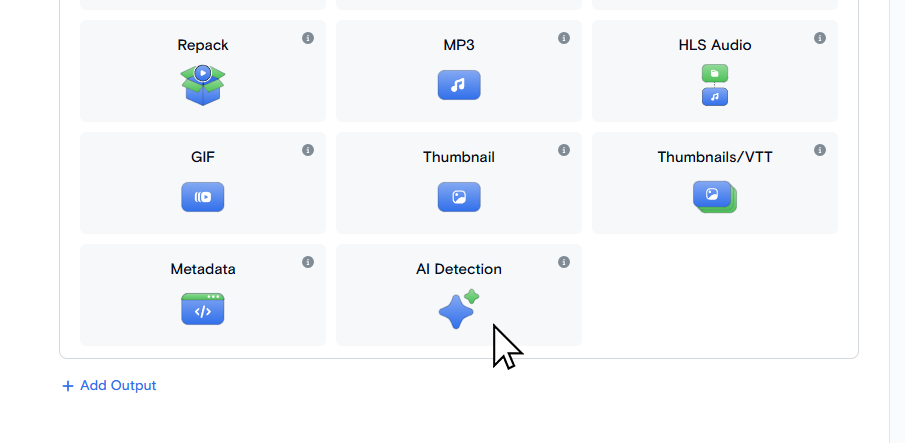
On the Transcode Media page choose AI Detection as an output format.
2Access AI Detection
After the job is complete, you will be provided with a JSON file with the AI Detection verdict.
Output JSON structure:
{
  "total_frames": 5,
  "ai_frames": 3,
  "video_ai_ratio": 60.0,
  "verdict": "AI-GENERATED",
  "total_input_tokens": 6800,
  "total_output_tokens": 475,
  "errors": 0,
  "frames": [
    {
      "frame": "frame_0001.jpg",
      "input_tokens": 1373,
      "output_tokens": 95,
      "is_ai": true,
      "reasoning": "The image displays...",
      "video_ai_ratio": 60.0
    }
  ]
}| total_frames | number of frames processed |
| ai_frames | frames classified as AI |
| video_ai_ratio | AI percentage (0-100) |
| verdict | "AI-GENERATED" or "REAL" |
| total_input_tokens | sum of input tokens across all frames |
| total_output_tokens | sum of output tokens across all frames |
| errors | number of failed API calls |
| frame | filename |
| input_tokens | tokens consumed for this frame |
| output_tokens | tokens consumed for this frame |
| is_ai | true/false/null (null on error) |
| reasoning | model's analysis text (VERDICT line stripped) |
| video_ai_ratio | same as top-level, copied to each frame |
3Saving AI Detection output
You can specify the path for the output file in the destination.url parameter. It should include filename and extension.
Request Example:
{
  "query": {
    "format": [
      {
        "output": "ai_detection",
        "destination": {
          "url": "s3://us-west.s3.qencode.com/my-bucket/my-folder/ai_detection.json"
        }
      }
    ],
    "encoder_version": "2",
    "source": "https://my-bucket.media-storage.us-west.qencode.com/source_video.mp4"
  }
}
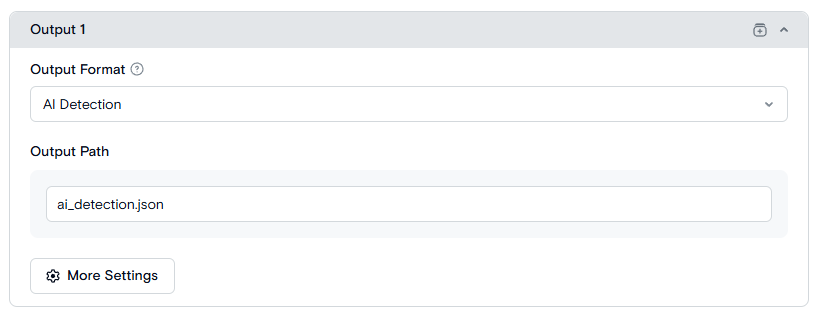
Set the path to the result file in the Output Path field. It should include filename and extension. The default value is ai_detection.json.
Need More Help?
For additional information, tutorials, or support, visit the Qencode Documentation page or contact Qencode Support at support@qencode.com.