


Detecting AI Generated Content
Introduction
The AI Detection feature analyzes video frames to estimate whether the video is AI-generated, returning a verdict and confidence score.
1Start a Task with the "ai_detection" Output
AI Detection outputs can be created by adding an 'ai_detection' output format to your transcoding job. In order to do this, use the /v1/start_encode2 method to launch a transcoding job with the output parameter set to ai_detection.
Request Example
{
  "query": {
    "source": "https://nyc3.s3.qencode.com/qencode/bbb_30s.mp4",
    "format": [
      {
        "output": "ai_detection"
      }
    ]
  }
}
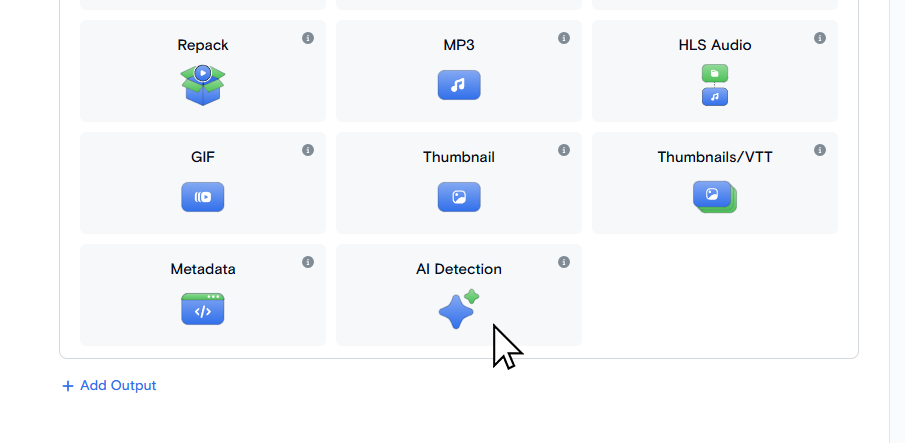
On the Transcode Media page choose AI Detection as an output format.
2Access AI Detection
After the job is complete, you will be provided with a JSON file with the AI Detection verdict.
Output JSON structure:
{
  "total_frames": 5,
  "ai_frames": 3,
  "video_ai_ratio": 60.0,
  "verdict": "AI-GENERATED",
  "total_input_tokens": 6800,
  "total_output_tokens": 475,
  "errors": 0,
  "frames": [
    {
      "frame": "frame_0001.jpg",
      "input_tokens": 1373,
      "output_tokens": 95,
      "is_ai": true,
      "reasoning": "The image displays...",
      "video_ai_ratio": 60.0
    }
  ]
}| total_frames | number of frames processed |
| ai_frames | frames classified as AI |
| video_ai_ratio | AI percentage (0-100) |
| verdict | "AI-GENERATED" or "REAL" |
| total_input_tokens | sum of input tokens across all frames |
| total_output_tokens | sum of output tokens across all frames |
| errors | number of failed API calls |
| frame | filename |
| input_tokens | tokens consumed for this frame |
| output_tokens | tokens consumed for this frame |
| is_ai | true/false/null (null on error) |
| reasoning | model's analysis text (VERDICT line stripped) |
| video_ai_ratio | same as top-level, copied to each frame |
3Saving AI Detection output
You can specify the path for the output file in the destination.url parameter. It should include filename and extension.
Request Example:
{
  "query": {
    "format": [
      {
        "output": "ai_detection",
        "destination": {
          "url": "s3://us-west.s3.qencode.com/my-bucket/my-folder/ai_detection.json"
        }
      }
    ],
    "encoder_version": "2",
    "source": "https://my-bucket.media-storage.us-west.qencode.com/source_video.mp4"
  }
}
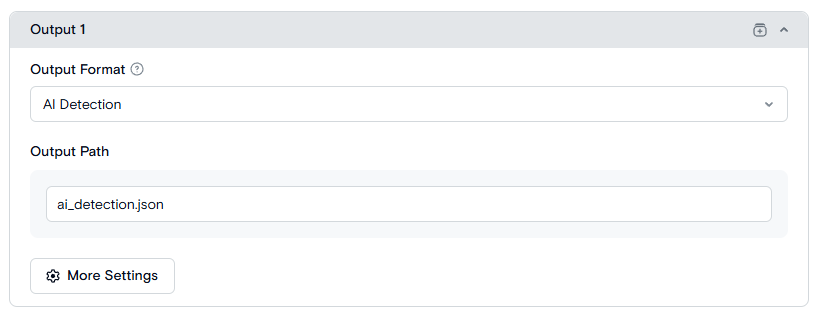
Set the path to the result file in the Output Path field. It should include filename and extension. The default value is ai_detection.json.
Need More Help?
For additional information, tutorials, or support, visit the Qencode Documentation page or contact Qencode Support at support@qencode.com.